Calling visitors
Call the next number, choose where the visitor goes, and call again if they haven't come. The visitor's phone and the TV display change with it.
Updated 1 min read
Before you start
The queue is open, and a number is waiting. See Taking numbers and printing tickets.
- 1
Press Call Next
The purple button at the top right of the dashboard calls the first number in the Waiting list. The button shows the number, for example Number A001. On phones and tablets, it sits at the bottom of the screen.
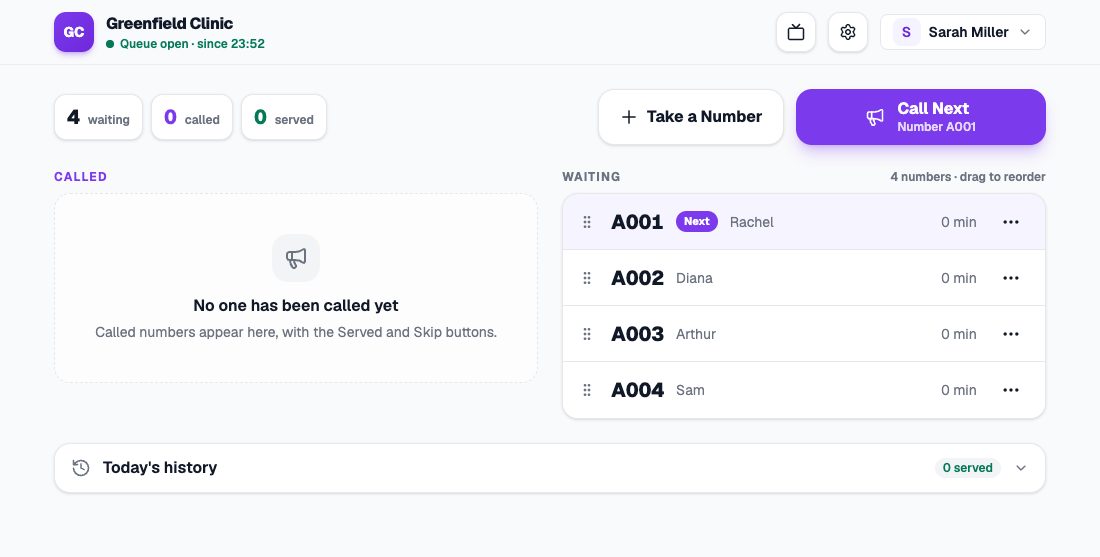
The dashboard, with the Call Next button at the top right and the Waiting list. - 2
Check where they go, then press Call
The destination is filled in from when the number was taken, such as room 2. Change it if needed, or press ✕ to send the visitor to the staff. The The visitor sees box shows the result before you press Call.
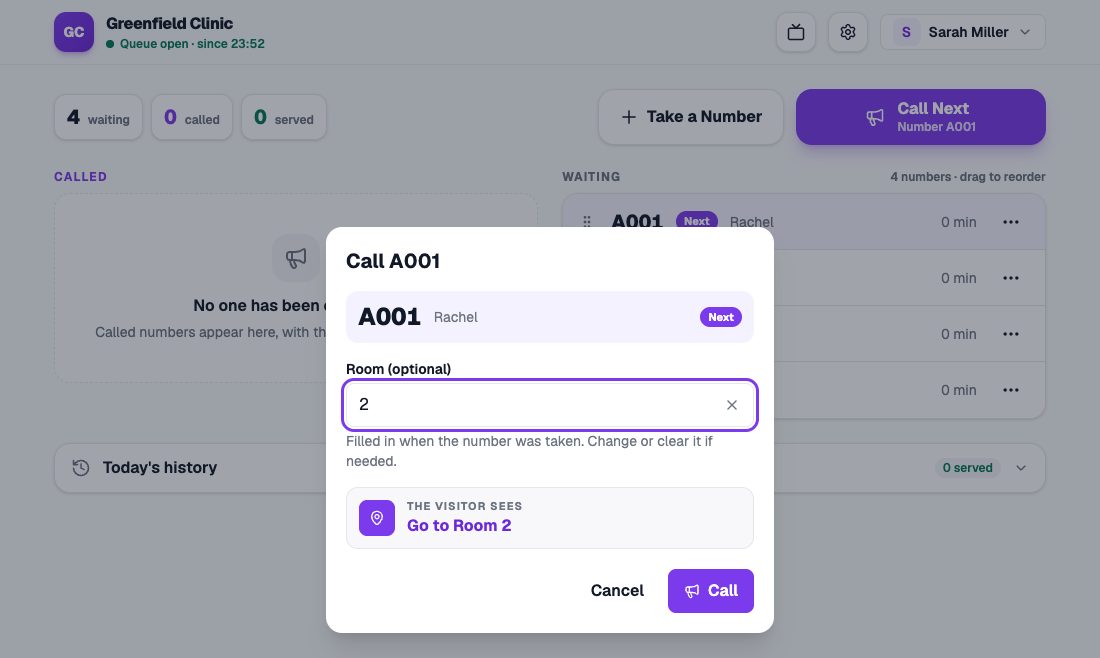
The Call A001 dialog, with Room 2 as the destination and The visitor sees box. - 3
The visitor sees and hears the call
The visitor's phone shows It's your turn! with where to go, and rings if sound is on. With a TV display, the number and destination are announced aloud.
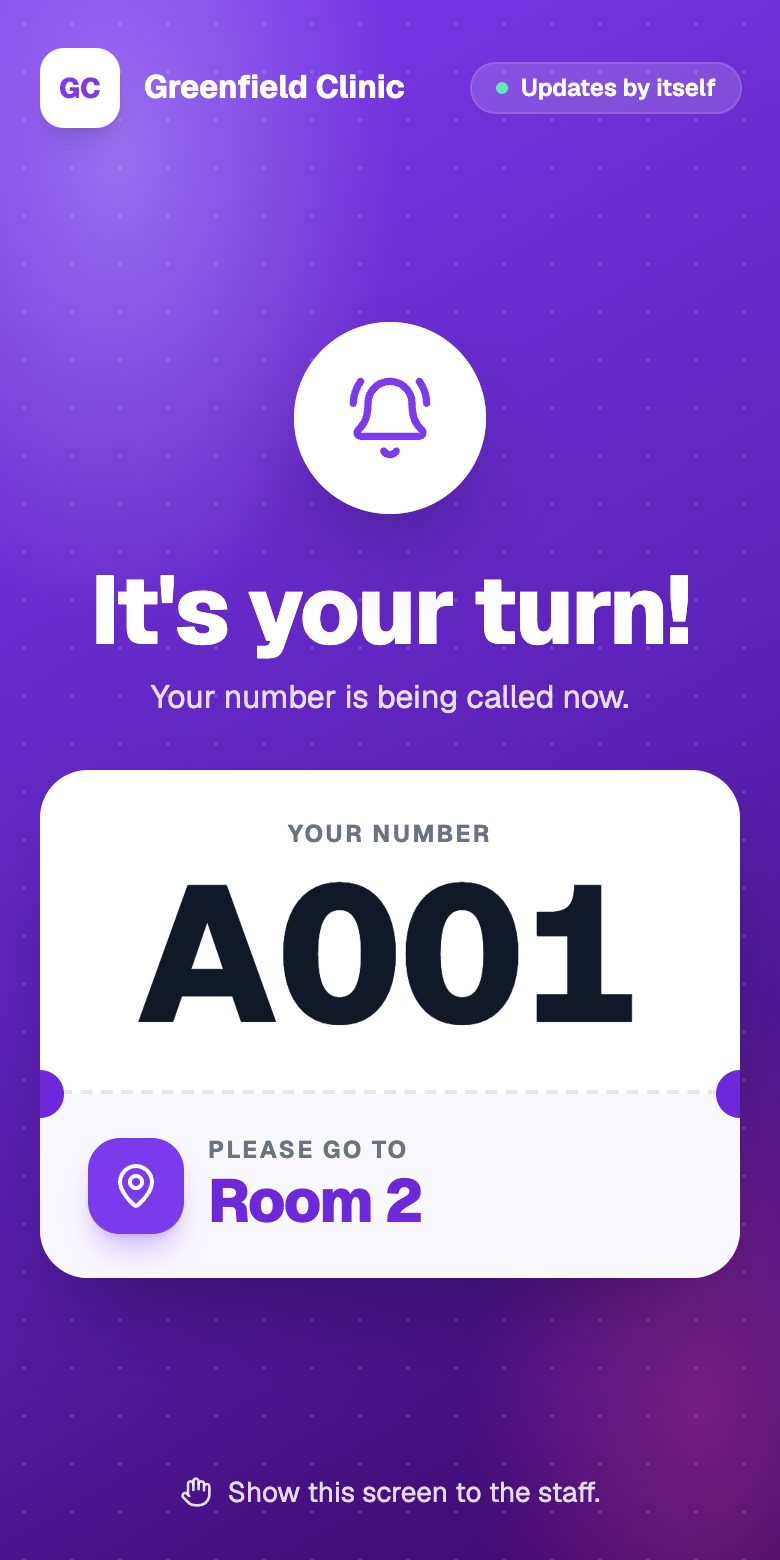
The visitor's phone when their number is called to Room 2.
If the visitor hasn’t come
- Press Call Again on the number card. You can call up to 3 times.
- After 5 minutes the card turns orange as a reminder. Numbers aren’t skipped by themselves.
- Press Skip if the visitor doesn’t come. Skipped numbers can be called again or put back in the queue from Today’s history.
Pressed the wrong button?
Every change shows an Undo button for 10 seconds.
Calling another number
To call a number that isn’t first, press ⋯ on its row, then choose Call.