Served, skipped, and cancelled
Finish a number that was called, skip a visitor who didn't come, and undo a mistake within 10 seconds.
Updated 1 min read
Before you start
A number has been called. See Calling visitors.
- 1
Choose a button on the called number's card
Every called number has its own card under Called. Press Served once the visitor has been served, Call Again if they haven't come, or Skip if they don't come. The dots at the top right of the card show how many times the number has been called.
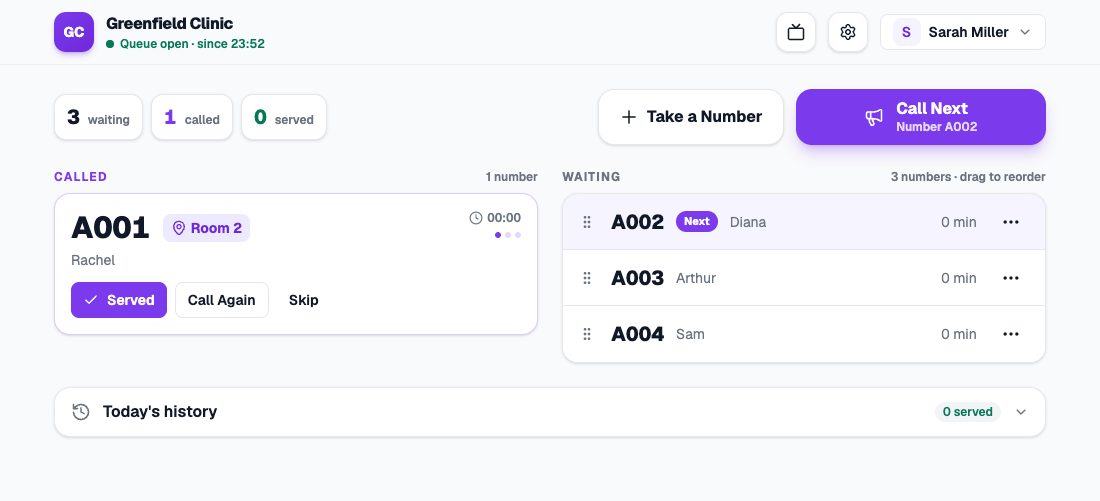
Card A001 called to Room 2, with the Served, Call Again, and Skip buttons. - 2
Wrong button? Undo within 10 seconds
After every change, an Undo button shows at the bottom of the screen for 10 seconds. Press it to put the number back the way it was.
What’s the difference
- Served: the visitor has been served. The number moves to Today’s history, on the Served tab.
- Skipped: the visitor didn’t come when called. The number moves to the Skipped tab, and can still be called again or put back in the queue.
- Cancelled: the number won’t be used, for example the visitor went home. Cancel a waiting number with the ⋯ button on its row.
Several numbers can be called at once
With several rooms or counters, call the next number without waiting for the last one to finish. Every called number has its own card.
After 3 calls
The Call Again button goes away after the third call. Choose Served or Skip. After 5 minutes the card turns orange as a reminder, but the number isn’t skipped by itself.