Verifying your email and opening your first queue
The first time you open the queue, WaitYa asks for a code sent to your email. After that, the queue is ready for numbers.
Updated 1 min read
Before you start
Your account and business are set up. See Signing up and creating your business.
- 1
Press Open Queue, then enter the code from the email
A 6-digit code is sent to your email the first time you press Open Queue. Enter the code, then press Verify & open the queue. The code works for 15 minutes. No email? Check your spam folder, or press Resend once the countdown ends.
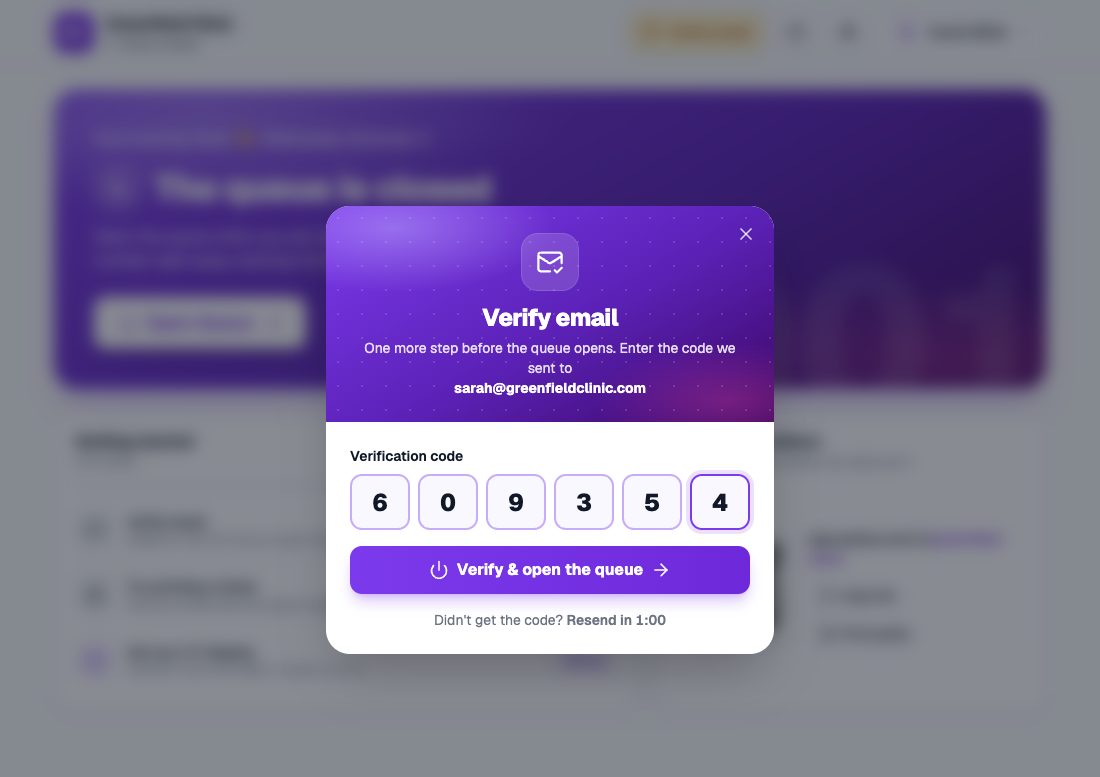
The email verification dialog with six code boxes. - 2
The queue is open
The dashboard shows the Take a Number and Call Next buttons. Today's first number is A001. You only verify once, so next time the queue opens straight away.
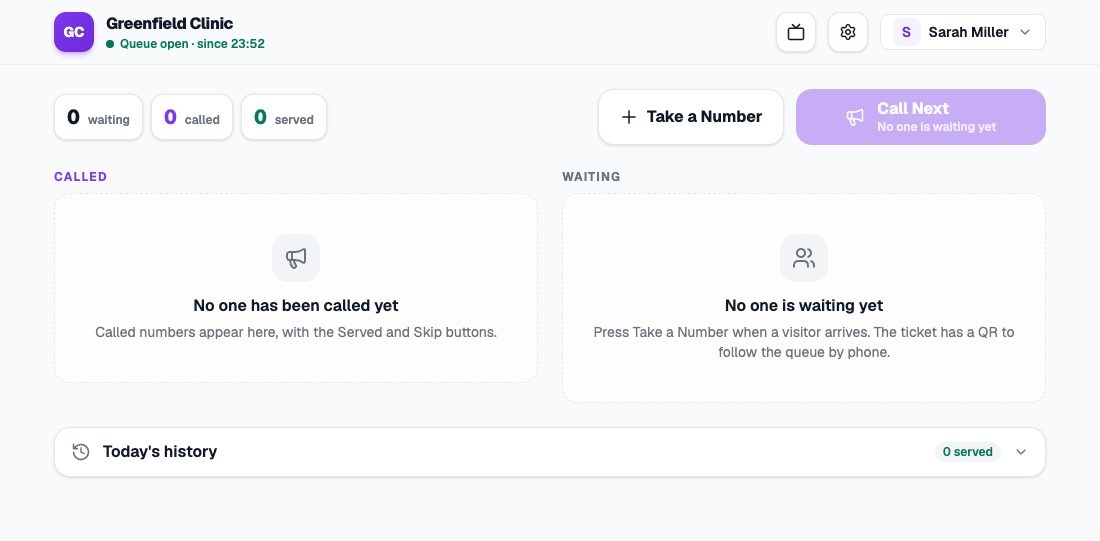
The dashboard with the queue open and still empty.
Each opening starts from A001
Numbers start again from A001 each time the queue opens. At the end of the day, close the queue from the account menu at the top right. Numbers that aren’t finished are cancelled, and you see how many before you close.