Printing and downloading the QR poster
Print an A4 poster with your business's queue QR, or download the QR, and put it up at the entrance so visitors can follow the queue on their phone.
Updated 1 min read
- 1
Open Settings, then QR & Link
The QR poster preview is on the right, with your business name, a call to scan, the QR, and your public link. Press Print for an A4 poster, or Download QR to save just the QR image, for example to use in your own design. You can also print the poster from the Share with visitors card on the dashboard.
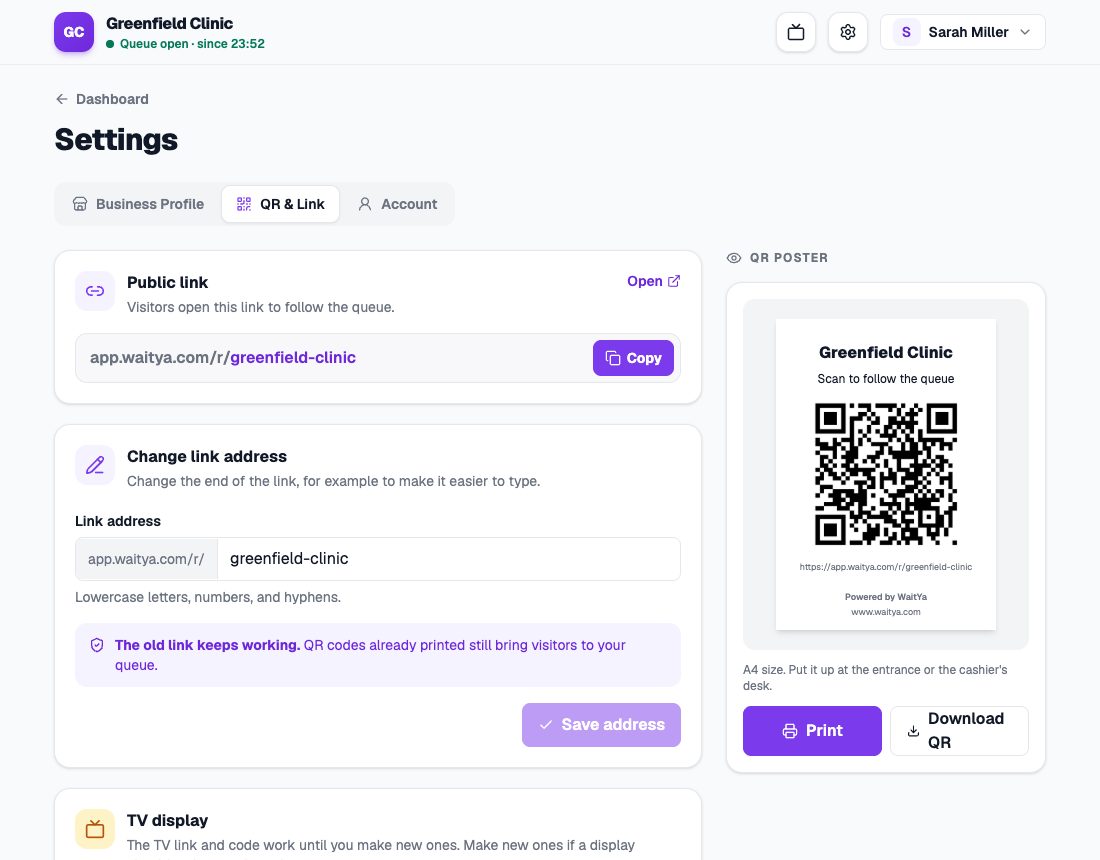
QR & Link settings with the public link and the QR poster preview. - 2
Put it up where people can see it
Such as the entrance, the reception desk, or the cashier. Visitors who scan the QR open your business's queue page.
Changing the link address
You can change the public link address on the same page, with Change link address. The old link keeps working, so posters you have already printed still bring visitors to your queue.